The one distinction that matters. Half the tools sold as clip downloaders take a YouTube link and hand back your section. The other half are video editors that need you to upload a file first, which means downloading the whole video before you can cut anything, and they usually stamp a watermark on the free export. Both appear in the same "best clip downloader" lists with nothing marking the difference. Check that one thing before you check anything else.
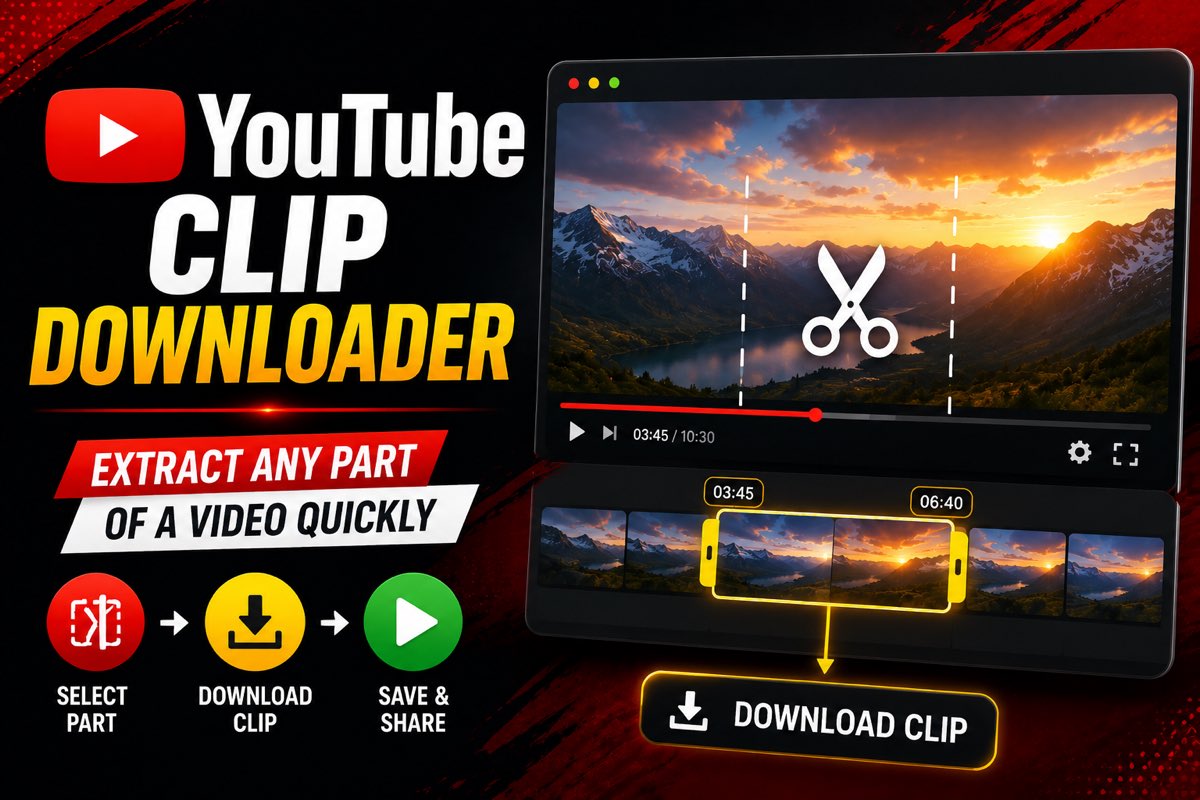
The search results for this are a wall of numbered lists. Seven tools, five tips, three solutions, all describing the same handful of sites in the same order. What almost none of them do is sort those tools into the two groups that behave completely differently, or explain why the one thing people most often want to clip, a link somebody sent them, is the one thing nearly every tool on the list will refuse.
Three different things get called a clip
This is worth thirty seconds because picking the wrong one wastes an afternoon.
| What you have | What it actually is | What a downloader can do with it |
|---|---|---|
| A youtube.com/clip link | A pointer to a range inside somebody's video, 5 to 60 seconds, no file behind it | Nothing directly. It needs converting to the source video first |
| A section you choose yourself | Any start and end time in any video, no length limit from YouTube's side | This is the normal case, and it works |
| A Short | An ordinary video that happens to be vertical and under 3 minutes | Treated like any other video, link and all |
The middle row is what most people mean by extracting a clip, and it is the case the rest of this covers. The first row is a genuine trap and gets its own section further down.
Link based tools versus upload based editors
Here is the split that the listicles blur. Two tools can sit next to each other in a "top 7" and have entirely different workflows.
A link based clip downloader takes the video address. Its server fetches only the range you asked for and returns a file. Nothing full length ever touches your device, so a 40 second clip out of a 3 hour podcast is a 40 second job.
An upload based editor takes a file. That means you first have to download the entire video by some other means, wait for it to upload, edit it, then export. Three long steps to get to the same place. Clideo and Kapwing both work this way, and both put a watermark on free exports. They are good editors. They are just not clip downloaders, whatever a list calls them.
| Tool | Takes a YouTube link | Free watermark | The catch |
|---|---|---|---|
| Link based cutters (ours included) | Yes | No | Free resolution is usually capped |
| Clideo | No, upload only | Yes on free exports | 500 MB free upload limit, so you download the video first |
| Kapwing | No, upload only | Yes on free exports | Free plan also caps export resolution and length |
| Desktop editors such as Shotcut | No | No, genuinely free | Install, then still download the full video first |
| YouTube's own Clip button | Not applicable | No | Gives a link, never a file, and caps at 60 seconds |
Checked against each tool's own pages on 5 August 2026. Free tiers move around, so treat the shape as stable and the numbers as worth a glance before you commit.
One popular guide's headline advice is to download the full video with its own downloader and then trim it in VLC or Shotcut. That works. It is also the long way round, and it is being recommended by a site that sells the downloader. Worth knowing whose interest a recommendation serves.
Why your clip link gets rejected
Someone sends you a youtube.com/clip address. You paste it into a downloader and get an error, so you try another one, and get the same error. Nothing is broken.
A clip link carries a clip ID. Downloaders read video IDs. They are different identifiers, and the tools are built to accept a specific set of address shapes: the standard watch link, a youtu.be short link, and the /shorts/, /live/, /embed/ and /v/ paths. A /clip/ path is not on that list, in our tool or in the others, which is why the failure is so consistent across the whole category.
The way round it takes about a minute: open the clip, watch where it sits in the full video, note the real start and end times, then paste the source video link into a clip downloader with those timestamps. The full walkthrough for clip links covers reading the exact boundaries, which is fiddlier than it sounds because the clip player hides the real timeline.
Extracting a clip, start to finish
The link based workflow, which is the fast one.
- Note the timestamps before you open anythingWatch the section once on YouTube and write down where it starts and ends. Scrubbing around inside the tool is the step that turns two minutes into fifteen.
- Copy the video linkShare then Copy link on a phone, address bar on a computer.
- Paste it into the cutterThe video loads into a preview player. Nothing full length is downloading at this point, which is the whole advantage.
- Type the start and end timesType the numbers rather than dragging the handles. Give yourself a second of headroom at each end, because human speech rarely begins neatly on a whole second.
- Pick a formatMP4 for video. MP3 or M4A when you only want the audio, and there are nine audio formats on the list if you have a specific need.
- Download it and save itFree clips are wiped from our server after 10 minutes, premium after 45. That is a retention policy rather than a sales tactic, but it does mean not walking away mid download.
If you want the longer version of this with the edge cases, cutting part of a YouTube video and downloading it goes deeper on formats and on the mistakes that ruin a clip.
Extract a clip now
Paste a link, set two timestamps, take just that section in MP4 or nine audio formats. Nothing to install.
Open the clip downloaderPulling several clips out of one video
Podcasts, lectures and match footage rarely have one good moment. The obvious approach, loading the video again for each cut, means waiting through the same fetch four or five times.
The Multi-Clip tab handles this by taking several ranges from one loaded video and processing them together. Name each range as you go, because four files called clip1 through clip4 are useless an hour later. That tab is a premium feature. On a free account you can still take as many clips as you like, one at a time, which is fine for two or three and tedious for ten.
Quality: what actually limits you
Two separate ceilings get blamed on each other constantly.
The upload sets the maximum. If the creator uploaded 720p, no tool anywhere can give you 1080p. Cutting a section never adds detail.
The free tier sets the practical limit. Ours goes up to 480p free, with 720p and 1080p on premium. Others cap clip length or downloads per day instead. Which cap is friendlier depends entirely on your clip: a one minute limit is fine for a highlight and useless for a lecture segment.
There is a third thing worth watching, and it is the one nobody mentions. Some tools re-encode the section rather than copying it, which can soften the picture even when the resolution number stays the same. If a clip looks worse than the video did on YouTube at the same resolution, that is usually why. Comparing the same ten seconds side by side tells you in a moment.
For a breakdown of what each free tier actually costs you, is there a free YouTube clip cutter compares them properly. If you want audio only, the YouTube to MP3 page skips the video step entirely.
What clip downloaders cannot do
Setting expectations saves more time than any tool comparison.
- Private and restricted videos. Private, unlisted, members only, age restricted and region blocked content all need a signed in account. A downloader has none, so these fail every time.
- Live streams still running. There is no finished file to cut from until the broadcast ends and the replay is processed.
- Frame precision. Web tools work in whole seconds, ours included. If you need to land on an exact frame, that is desktop editor territory, and it means downloading the video first.
- Removing a watermark that is already in the video. If the source has one burned in, it is part of the picture. Cutting cannot separate it.
On phones the workflow is identical, since neither app store allows YouTube downloader apps and a browser tool sidesteps that entirely. The only real difference is where the file lands, which cutting a YouTube video on iPhone or Android covers.
Where the legal line sits
Not legal advice, and it varies by country, but the shape is consistent.
YouTube's terms of service list downloading among the things you may not do with content on the platform, except where the service itself allows it, which in practice means the Premium download button. Copyright is a separate matter and the one with teeth. Your own uploads, Creative Commons licensed videos and anything you have written permission for are safe ground.
Clips are a slightly special case because short excerpts used for commentary, criticism, review or teaching can fall under fair use or fair dealing depending on where you are. That is a defence you would have to make, not a rule that protects you automatically. The pattern that reliably causes problems is republishing someone else's footage on an account that earns money, and clip channels are exactly where that happens most.
Common questions
What is a YouTube clip downloader?
A tool that saves one section of a YouTube video as a file instead of the whole thing. You give it the video link and a start and end time, and it returns just that range. The good ones never download the full video to your device at all, which is what makes them faster than downloading and trimming.
Can I download a YouTube clip link?
Not directly, and this catches almost everyone out. A youtube.com/clip address carries a clip ID rather than a video ID, and downloaders are built to read video IDs. The fix is to open the clip, note where it starts and ends in the source video, then feed the source video link and those timestamps to a clip downloader.
How long can a downloaded clip be?
It depends entirely on the tool, and it is the cap people hit most often. Several popular free tiers stop somewhere between one and ten minutes per clip. Our link based cutter puts no limit on the length of the section itself, and the two hour cap applies only to files you upload from your own device.
Do clip downloaders add a watermark?
Link based YouTube tools usually do not, ours included. Watermarks are standard on general purpose online editors such as Clideo and Kapwing, where the free tier is really a trial of a paid product. If a tool asks you to upload a file, check its export screen before you invest any time in the edit.
Can I extract several clips from one video?
Yes, and doing it in one pass saves a lot of time compared with reloading the video for each cut. Our Multi-Clip tab takes several ranges from one loaded video and processes them together, and it is a premium feature. Free accounts can still pull clips one at a time with no limit on how many.
Does cutting a clip reduce the quality?
The cut itself takes nothing away. Quality drops for two other reasons: the free tier caps resolution below what the upload carries, or a tool re-encodes the section at a lower bitrate to save server time. Pick the highest resolution offered and compare the result against how the video plays on YouTube.
What is the difference between a clip downloader and a video editor?
A clip downloader takes a link and returns a section. An editor takes a file you already have and returns a new file. That difference decides your whole workflow, because using an editor means downloading the full video first, which is the slow step people are usually trying to avoid.
Can I extract a clip on my phone?
Yes. A browser based tool works the same on a phone as on a computer, which matters because neither app store allows YouTube downloader apps. Copy the link from the YouTube app with Share then Copy link, then work in your mobile browser. On iPhone the finished file lands in Files under Downloads rather than in Photos.
Why will the tool not load my video?
Private, unlisted, members only, age restricted and region blocked videos need a signed in account, and no clip downloader has one. Live streams have nothing finished to cut until the broadcast ends. If the same link fails in two or three different tools, the video is the reason rather than the tool.
Is it legal to extract clips from YouTube videos?
It depends on the source and what you do next. Your own uploads, Creative Commons material and anything you have permission for are safe. YouTube's terms separately forbid downloading without permission. Short quoted excerpts used for commentary or review sit in fair use territory in some countries, which is a defence rather than a guarantee.
The short version
Check whether a tool takes a link or a file, because that single answer tells you whether your afternoon involves one step or four. Write your timestamps down before you start. Expect a resolution cap rather than a watermark on YouTube specific tools, and the reverse on general editors. And if what you are holding is a youtube.com/clip address, go and find the source video first, because no amount of tool swapping will make that link work.
Try it on the next clip you need
One section or several, MP4 or audio, no account and nothing installed.
Paste a YouTube link