The short version. Copy the video link, paste it into a browser based downloader, choose MP4 or an audio format, pick a quality and press download. No software, no account, about a minute for a short video. The part nobody tells you is that there are five different ways to save a YouTube video and they hand you five different things. A Premium download is not a file you own. A downloaded MP4 is. A clip link is neither. Pick by what you plan to do with it afterwards, not by which tool ranks first.
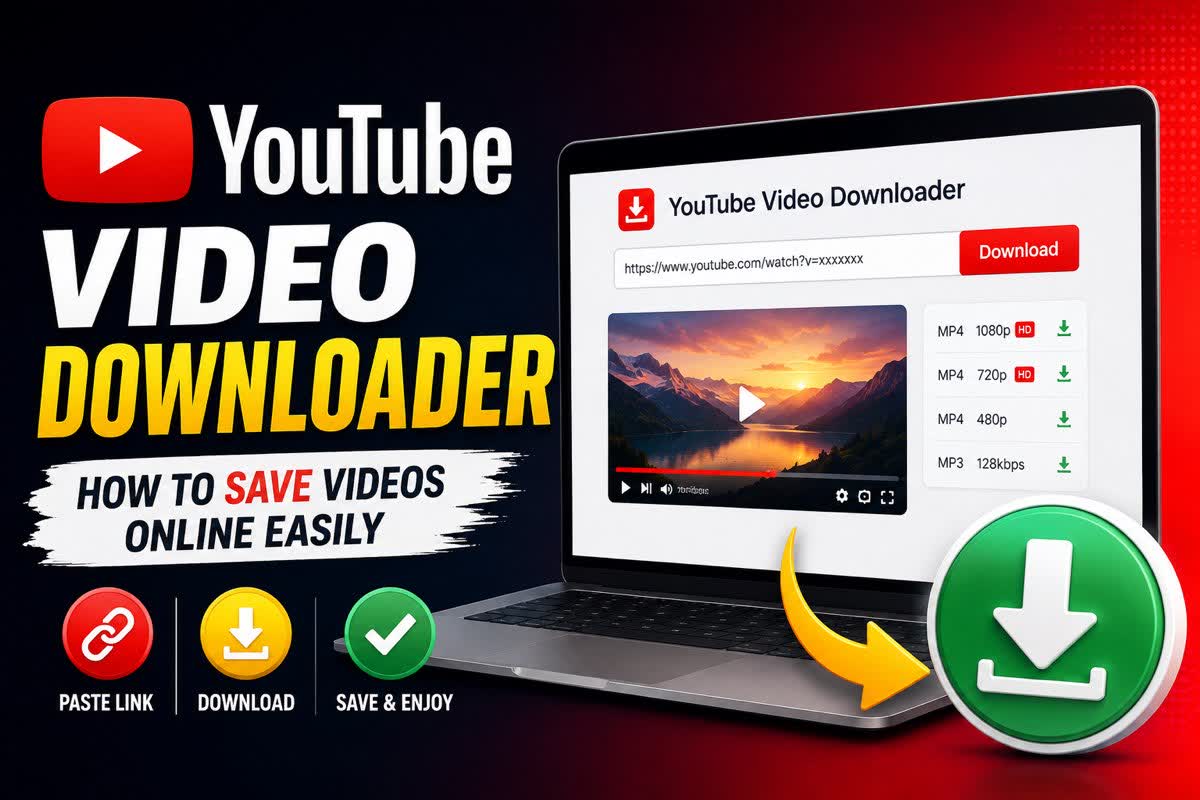
Almost every guide to this answers the same narrow question: which tool do I paste the link into? That is the easy part, and it has been the easy part for a decade. The questions that actually cost people an afternoon are different ones. Why did the download give me 360p when YouTube plays the video at 1080p? Why did the tool that worked last week stop today? Why will the video I saved through YouTube Premium not open in my editor? This is the version that answers those.
The five ways to save a YouTube video
They are not competing versions of the same thing. Each one produces a different object with different rules attached.
| Method | What you end up with | Works offline | The catch |
|---|---|---|---|
| Online downloader | A real MP4 or audio file on your device | Yes, forever | Free tiers cap resolution; ad heavy sites are the risk, not the download |
| YouTube Premium | An encrypted copy inside the YouTube app | Yes, for 29 days between reconnects | Paid, app only, cannot be edited, moved or kept |
| Desktop software | A real file, plus batch and playlist support | Yes, forever | Installation, updates, and it breaks when YouTube changes things |
| Browser extension | Usually a real file | Yes | Banned from the Chrome store, so you are sideloading from somewhere |
| YouTube's Clip button | A link that plays 5 to 60 seconds inside the original video | No | No file exists at all, and it dies with the source video |
Most disappointment in this area comes from picking a row that does not match the job. Someone who wanted a file for a school presentation subscribes to Premium and finds the video will not import. Someone who wanted to send a friend one funny moment downloads a forty minute MP4. Sort out which object you need first, and the tool question mostly answers itself.
How to download a YouTube video online, step by step
This is the online downloader route, the one that needs nothing installed. It works the same on Windows, macOS, a Chromebook, an iPhone and an Android phone, because the work happens on a server rather than on your device.
- Copy the video linkOn a phone, tap Share then Copy link. On a computer, take it from the address bar. Watch links, youtu.be short links, Shorts links and finished live streams all work.
- Paste it into the downloaderDrop it into the box on our homepage and give it a second. The tool reads the video's available streams and shows you what it can actually give you, which is not always what you hoped.
- Pick video or audioMP4 keeps the picture and the sound. MP3 or M4A gives you sound only, and the file is a fraction of the size. Nine audio formats are on the list, including FLAC and WAV if you are doing something with the audio afterwards.
- Choose the qualityThe list is built from what the upload carries. A video filmed at 480p in 2011 will never offer you 1080p, in our tool or any other.
- Press Full DownloadThe server fetches the streams, joins video and audio into one file and hands it back. Short videos take seconds. A long one in high resolution takes a couple of minutes, mostly spent on the join.
- Save it before it expiresFinished files are wiped from our server after 10 minutes on the free tier and 45 minutes on premium. That is a privacy decision rather than an upsell, but it does mean you should not walk away from the download button.
If the same link fails in two or three different tools on the same day, stop swapping tools. The video is either private, members only, age restricted, region blocked or still live. None of those can be solved by a downloader, because a downloader has no account to sign in with.
Quality: what you can actually get, and what caps it
This is where most of the frustration lives, so it is worth separating two things that get confused constantly.
The upload sets the ceiling. YouTube stores whatever the creator gave it. If they uploaded 720p, there is no 1080p version anywhere on YouTube's servers, and no tool can invent one. Anything advertising itself as an upscaler is generating pixels, not recovering them.
The tool sets the floor. Under that ceiling, every free downloader picks a cap and sells the rest. Ours goes up to 480p free, with 720p and 1080p on premium. Others cap by video length or by downloads per day instead. Different shape, same idea.
Checking which one is limiting you takes ten seconds. Open the video on YouTube, click the settings gear and look at the quality list. If YouTube offers 1080p and your downloader stops at 480p, that is the tool. If YouTube itself tops out at 360p, no tool will do better.
| Format | Use it for | Rough size, 10 minutes |
|---|---|---|
| MP4 1080p | Watching later, editing, presentations | 150 to 300 MB |
| MP4 480p | Phones, quick reference, slow connections | 40 to 70 MB |
| MP3 | Podcasts, lectures, music you own the rights to | 10 to 15 MB |
| M4A | Same as MP3, slightly better at the same size | 10 to 15 MB |
| WAV or FLAC | Audio work where you will re-encode later | 100 MB and up |
One honest note about audio. Converting a YouTube video to MP3 cannot add quality that the video never had. Anything promising you 320 kbps from any video is describing the container, not the sound. There is more on that in our piece on whether YTMP3 sites are safe, and you can do the conversion itself on the YouTube to MP3 page.
You usually want part of the video, not all of it
Watch what people actually do after downloading. They open the file, find the forty seconds they came for, and start trimming. The full download was a step they had to take rather than a thing they wanted.
You can skip it. Paste the link, drag the two handles to the section you need, and download only that. The file is smaller, it arrives faster, and there is nothing left to edit afterwards. That is the editor sitting on our homepage, and it is the reason this site exists in the first place.
Worth reading if that is your situation:
- How to cut part of a YouTube video and download it, the full walkthrough.
- How to download a YouTube Clip, if somebody sent you a youtube.com/clip link and no downloader will touch it. There is a specific reason for that, and it surprises people.
- Cutting a YouTube video on iPhone or Android, where the download step behaves differently from a computer.
- Our uploader, for files already on your device rather than links. It accepts up to 2 hours per file.
Save a YouTube video now
Paste a link, take the whole video or just the section you need, in MP4 or nine audio formats. Nothing to install.
Open the downloaderWhy YouTube downloaders break in waves
If you have ever had a tool work perfectly for months and then fail on a Tuesday, this section is the explanation nobody puts in these guides.
Every downloader, from a big desktop application to a small web tool, reads the same thing: the JavaScript player code YouTube serves to browsers. That code holds the instructions for turning a video ID into a real media URL. YouTube changes it whenever it wants to, and when it does, everything reading it fails at roughly the same moment. That is why your favourite tool and its three competitors all go down on the same afternoon, which looks like a coordinated shutdown and is actually just one code change.
Two specific changes have driven most of 2026's outages. The first is SABR, a newer streaming protocol that hands out media in a way the old download flow was not built for. The second is a proof of origin token that YouTube now expects to be bound to each request, which is designed to tell a real browser session apart from an automated one. The yt-dlp project documents each round of this in its release notes, and its update history reads like a timeline of the whole category's outages.
What this means for you day to day:
- An outage is almost never about your video, your browser or your connection. Try again in a few hours.
- Tools that are actively maintained come back. Tools that were abandoned quietly never do, which is why a site that worked in 2023 may now just spin forever.
- If you run desktop software, updating it fixes this more often than any other troubleshooting step.
Audio conversions fail for the same underlying reason, which is covered in more depth in why YouTube to MP3 stops working.
YouTube Premium: what it does and does not give you
Premium is the only download route YouTube itself endorses, and it is genuinely good at the job it was built for. It is also routinely recommended for jobs it cannot do.
What you get is an encrypted copy stored inside the YouTube app. It plays without a connection, at up to 1080p on the plans that include it, and it is completely within the rules. YouTube's offline playback help page sets out the limit that matters: a downloaded video plays offline for up to 29 days, after which the app has to reconnect and re-check it. If the video has been removed or made private in the meantime, it disappears from your device on that sync.
What you do not get is a file. There is no MP4 in your storage. You cannot drop it into a video editor, attach it to an email, put it on a USB stick for a classroom projector, or keep it after you cancel. For a lot of people that gap is the whole reason they went looking for a downloader.
Pricing in the United States moved in June 2026: the individual plan is $15.99 a month, family is $26.99, and the student and Premium Lite tiers are $8.99. Feature sets differ by tier and by country, and Lite in particular has changed more than once, so check what your plan includes on YouTube's own page rather than trusting a comparison table.
The honest recommendation. If you want to watch things on a plane and nothing more, Premium is the better answer and it is not close. If you need a file that survives outside an app, Premium cannot help you, and paying for it hoping otherwise is the most common wasted purchase in this whole subject.
Staying out of trouble on downloader sites
The download itself is rarely dangerous. What surrounds it can be. Free tools in this category live on advertising, and the advertising is often sold through networks with very relaxed standards.
- You should receive a media file. An MP4, an MP3, an M4A. If a site offers you an .exe, a .dmg, an .apk or a browser extension to "complete" your download, that is not your download.
- Refuse notification prompts. The permission box asking to show notifications is how ad networks reach you after you have closed the tab. There is no reason a downloader needs it.
- Ignore anything urgent. Fake update warnings, virus alerts and countdown timers are all the same play. Close the tab rather than arguing with it.
- Be careful with the first button. On heavily monetised sites the largest, greenest, most obvious button is frequently an advert. The real link is often the plain text one underneath.
- Never sign in with your Google account. No legitimate downloader needs it, and any that asks is fishing.
A useful habit: run the file through your operating system's own player before doing anything else with it. If a supposed MP4 will not open in the default video player, it was never an MP4.
Where the law actually sits
This is not legal advice, and the answer genuinely varies by country. But there are a few facts worth having straight.
YouTube's terms of service list downloading among the things you are not permitted to do with content on the platform, with an exception for what the service itself expressly authorises. In practice that exception is the Premium download button. So using a third party downloader is, at minimum, against the terms of the platform, whatever else is true.
Copyright is a separate question and usually the one with real consequences. These sit on much safer ground:
- Videos you uploaded yourself.
- Videos published under a Creative Commons licence, which YouTube marks in the video description.
- Public domain material.
- Anything you have written permission from the creator for.
And the pattern that causes actual problems is narrower than people fear: taking someone else's footage and republishing it, particularly on an account that earns money. Saving a cooking video to watch on a train with no signal has never been what enforcement is aimed at. Building a channel out of clips you did not shoot is.
Common questions
How do I download a YouTube video online?
Copy the video link, paste it into a browser based downloader, choose MP4 or an audio format, pick a quality and press download. Nothing gets installed, the work happens on the server, and you end up with a normal file in your downloads folder. The whole thing takes about a minute for a short video.
Is it free to download YouTube videos?
Free is normal in this category, but it almost always has a ceiling attached. On our tool the free tier goes up to 480p, with 720p and 1080p on premium. Other tools cap you on video length, on downloads per day, or on how long you wait in a queue. Read the quality dropdown before you decide a tool is free enough for the job.
What is the best format to save a YouTube video in?
MP4 for anything you want to watch or edit later, because every phone, TV, editor and browser plays it. MP3 or M4A when you only need the sound, such as a podcast episode or a lecture. WAV and FLAC are worth it only if you are working on the audio, since they are much larger for no benefit on normal listening.
Can I download YouTube videos on my phone?
Yes, and a browser based tool is the easiest route because neither app store allows YouTube downloader apps. On iPhone the file lands in Files under Downloads rather than in Photos, and Safari asks for permission the first time. On Android it goes to the Downloads folder and appears in your gallery once the media scanner picks it up.
Why does the downloader only offer 360p or 480p?
Two possible reasons. Either the upload itself never had a higher resolution, which is common with older videos, or you are on a free tier that caps resolution. Ours caps free downloads at 480p. Open the video on YouTube and check the quality menu there. If YouTube offers 1080p and the downloader does not, the limit is the tool, not the video.
Is downloading YouTube videos legal?
It depends on the video and what you do next. YouTube's terms of service forbid downloading content except where the service itself allows it, which in practice means the Premium download button. Your own uploads, Creative Commons material and videos you have written permission for sit on solid ground. Reposting someone else's footage, especially to an account that earns money, is where people get into real trouble.
Why do YouTube downloaders stop working?
Because they all read the same player code, so when YouTube changes it, the whole category fails within hours of each other. Through 2026 the two big causes have been the SABR streaming protocol and a proof of origin token that every request has to carry. Tools patch around it and service comes back. If three different downloaders fail on the same video on the same day, it is not your device.
Can I download just part of a YouTube video?
Yes, and it is usually the smarter move. Paste the link, set a start and an end time, and you get only that section as a file. It downloads faster, takes less space, and saves you trimming a two hour video down to forty seconds afterwards. That is what the editor on our homepage does.
Do I need to install software to save YouTube videos?
No. A browser based tool does the work on its own servers and hands you back a file, which is why it behaves the same on a work laptop, a Chromebook and a phone. Desktop software is worth installing only if you download in bulk, want 4K regularly, or need to keep working without an internet connection.
Are online YouTube downloaders safe?
The tool itself is usually not the danger. The advertising around it is. Treat any site that pushes you to install an executable, allow browser notifications or run a fake update as a site to close. A real downloader gives you an MP4, an MP3 or another media file, and never an .exe, .dmg or .apk.
Picking the right one, in one paragraph
If you want a file you keep, use an online downloader and take MP4. If you only want to watch offline inside the app and never touch the file, Premium is cleaner and legal. If you download dozens of videos a week, install desktop software and keep it updated. And if what you actually need is one section rather than the whole thing, cut it at the source instead of downloading forty minutes to keep forty seconds. Most people reading a guide like this are in that last group and have not realised it yet.
Try it with the next video you need
Whole video or a single section, MP4 or audio, no account and nothing installed.
Paste a YouTube link